Accessibility at Scale
A case study in stabilizing a growing SaaS ecosystem. I initiated this effort from scattered support signals and led it end to end: securing executive commitment and budget, then driving risk-prioritized remediation, screen-reader and contrast fixes, component governance, engineering enablement, customer communication, and an AI-assisted plug-in that moved accessibility from periodic audits to feedback built into the development loop.
Scattered signals, one missing strategy
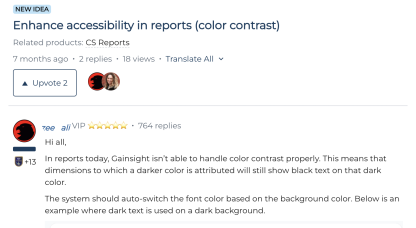
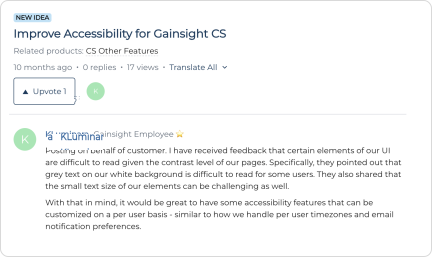
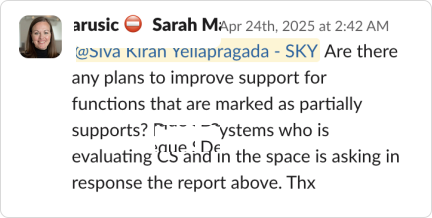
Accessibility didn't begin as a roadmap item. It began as a series of signals: customer ideas in the community, account teams flagging contrast complaints, and direct asks landing in my Slack about partial-support gaps during evaluations. Individually, each felt manageable. Collectively, they exposed something bigger: there was no accessibility strategy, and that was the inflection point.
An audit revealed predictable violations
An initial audit surfaced the same categories of failure across the platform. What stood out wasn't just the violations, it was the pattern behind them.
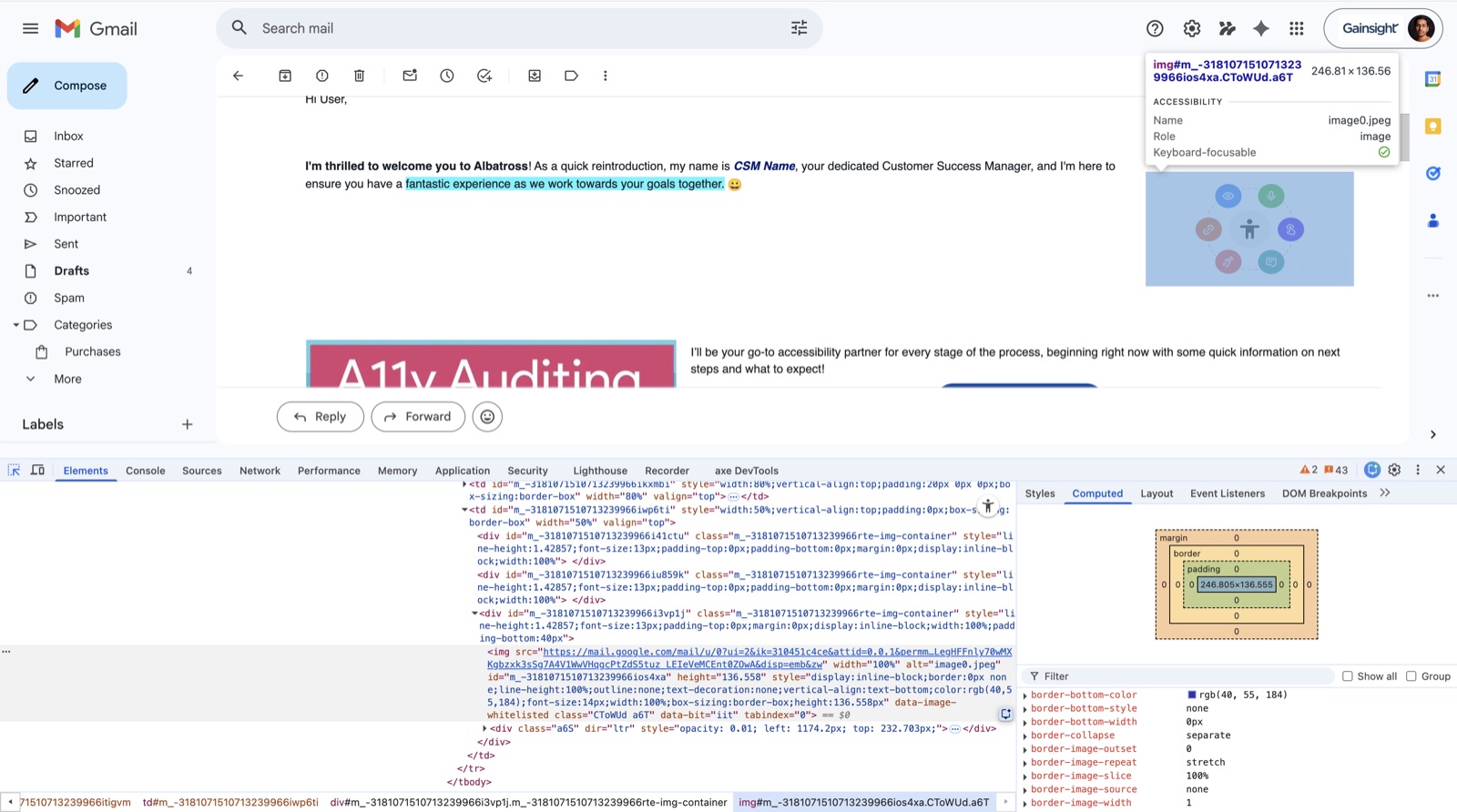
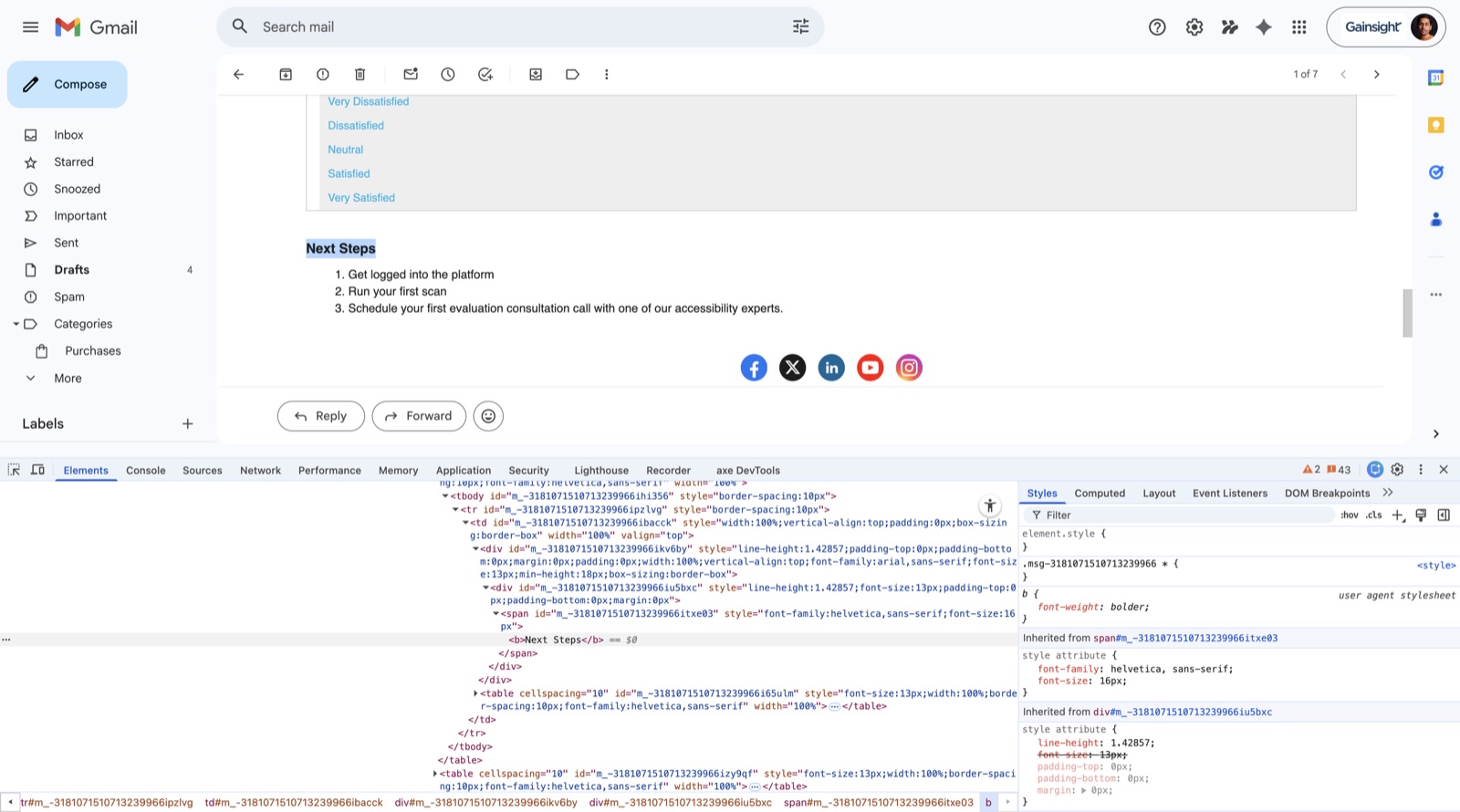
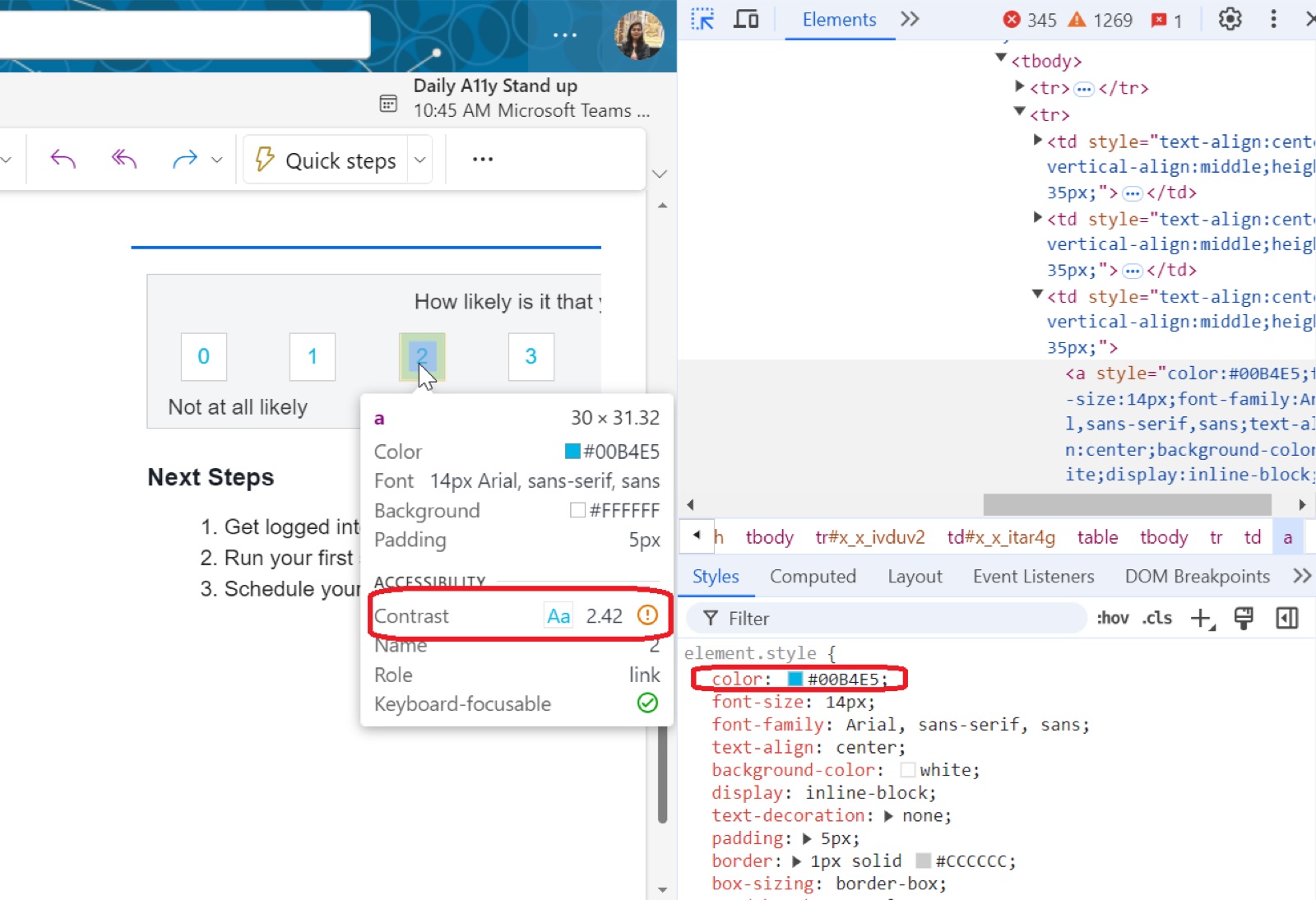
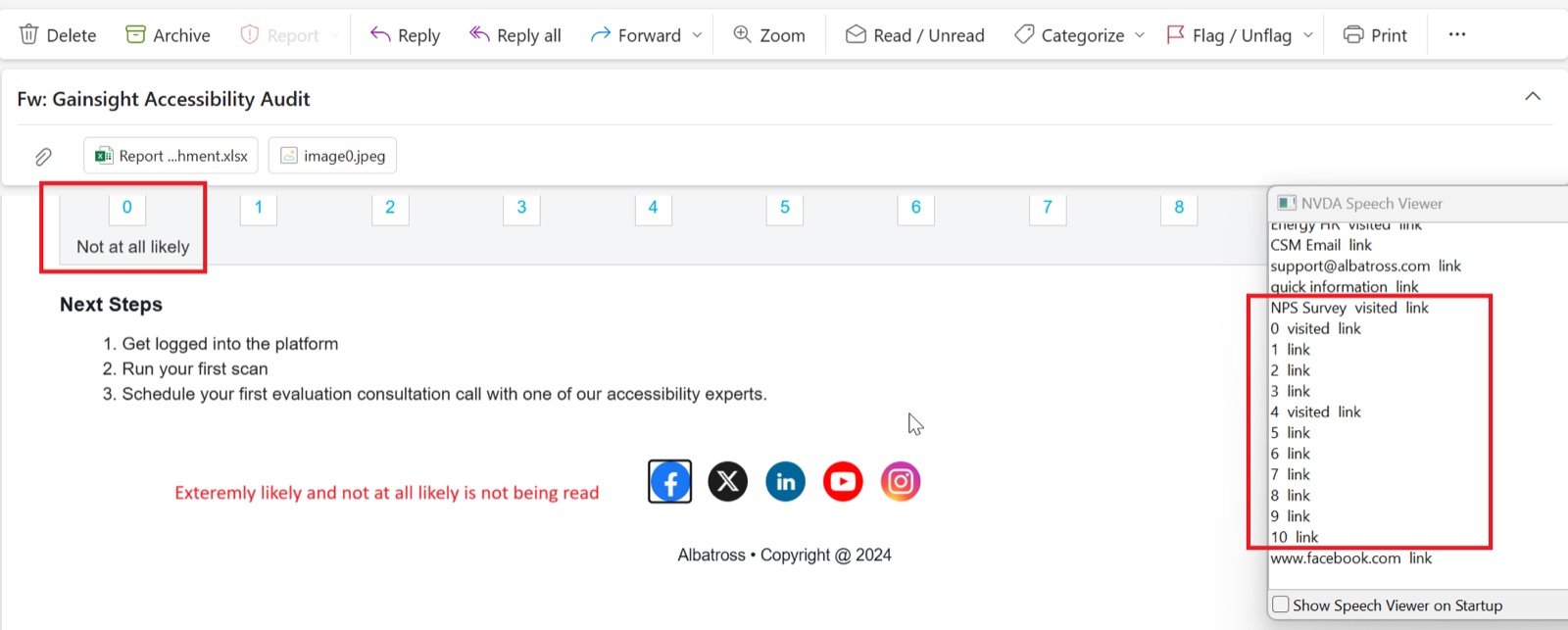
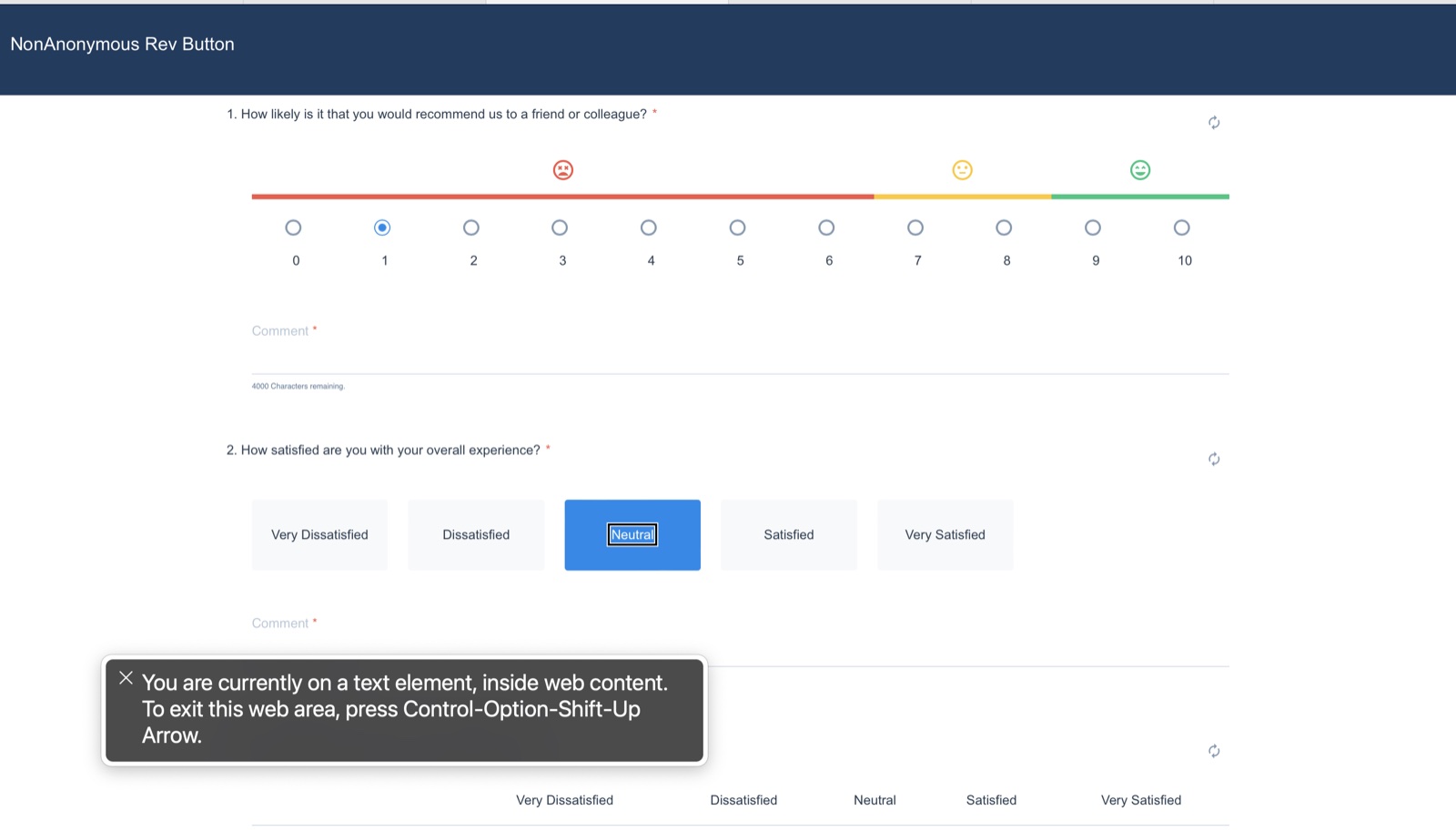
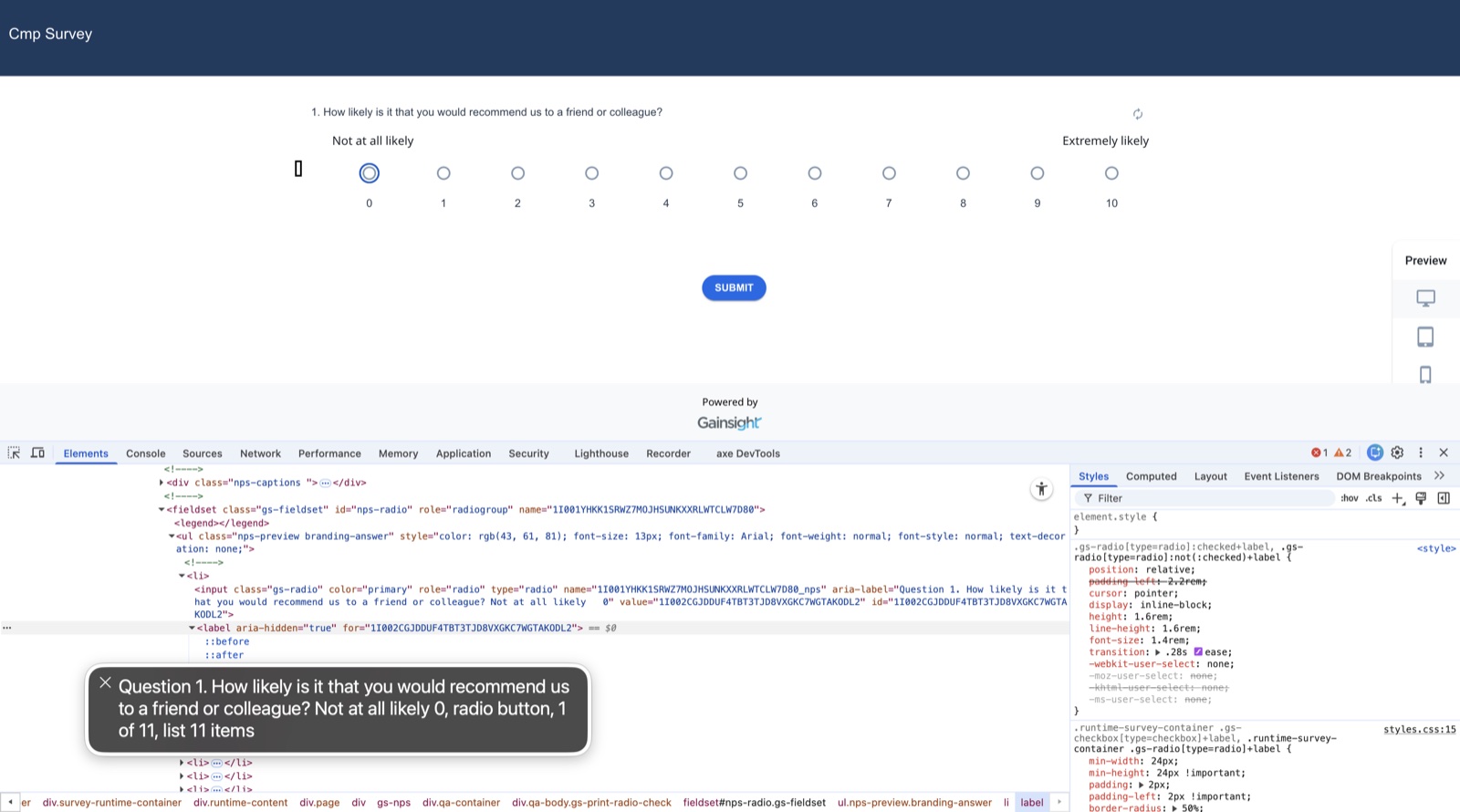
The same components, dropdowns for example, existed in multiple variations across modules. Each behaved slightly differently and implemented accessibility inconsistently. That realization ultimately shifted the direction of the work: from fixing screens to fixing the system underneath them.
I made accessibility a funded, owned initiative
Scattered fixes would never hold. So I built the conditions for the work to succeed: I took the signals to leadership and turned accessibility into a funded program with an owner, a scope, and a definition of done, then brought in the right external partner to validate it.
Secured executive commitment
Worked directly with leadership to make accessibility a funded, owned initiative rather than a side effort, establishing the mandate the rest of the work depended on.
Shaped budget & success criteria
Helped build the investment case and defined what "done" meant: conformance against WCAG 2.1 AA, with the VPAT as the tangible deliverable.
Selected & enabled the vendor
Led vendor selection for audit-grade validation, then made the partner effective inside a complex product with screen-by-screen documentation and walkthroughs.
Owned it end to end
Drove the effort across product, engineering, and customer success, from a cold start through execution, governance, and customer communication.
Fix risk first, then fix the system
Attempting to correct the entire platform at once would have stalled delivery for months. So I sequenced the work by risk and visibility, protecting the most exposed surfaces first.
Brand-visible, high-traffic, legally exposed
- Survey response pages
- Emails
- Email opt-out pages
- Email inline surveys
Daily operational surfaces
- Gainsight Home
- Timeline & Cockpit
- Customer 360 & Relationship 360
- Spaces
Configuration & foundations
- Admin and setup surfaces
- Completes platform-wide coverage
- Lower day-to-day exposure
This meant temporarily living with known issues in lower-risk areas, but it allowed measurable progress without paralyzing the roadmap.
An operating model, not a list of bugs
A vendor audit answers "what's broken." Teams still had to answer "what does this mean for us." Engineers asked what a finding meant in our context; PMs asked whether a change altered how a feature behaved. I built the connective tissue to answer both.
Screen-by-screen flow documentation
Mapped each in-scope surface so findings landed against a concrete screen and state, not an abstract rule.
Feature walkthrough recordings
Recorded flows and business context so the vendor and engineers understood the why behind each screen, not just the markup.
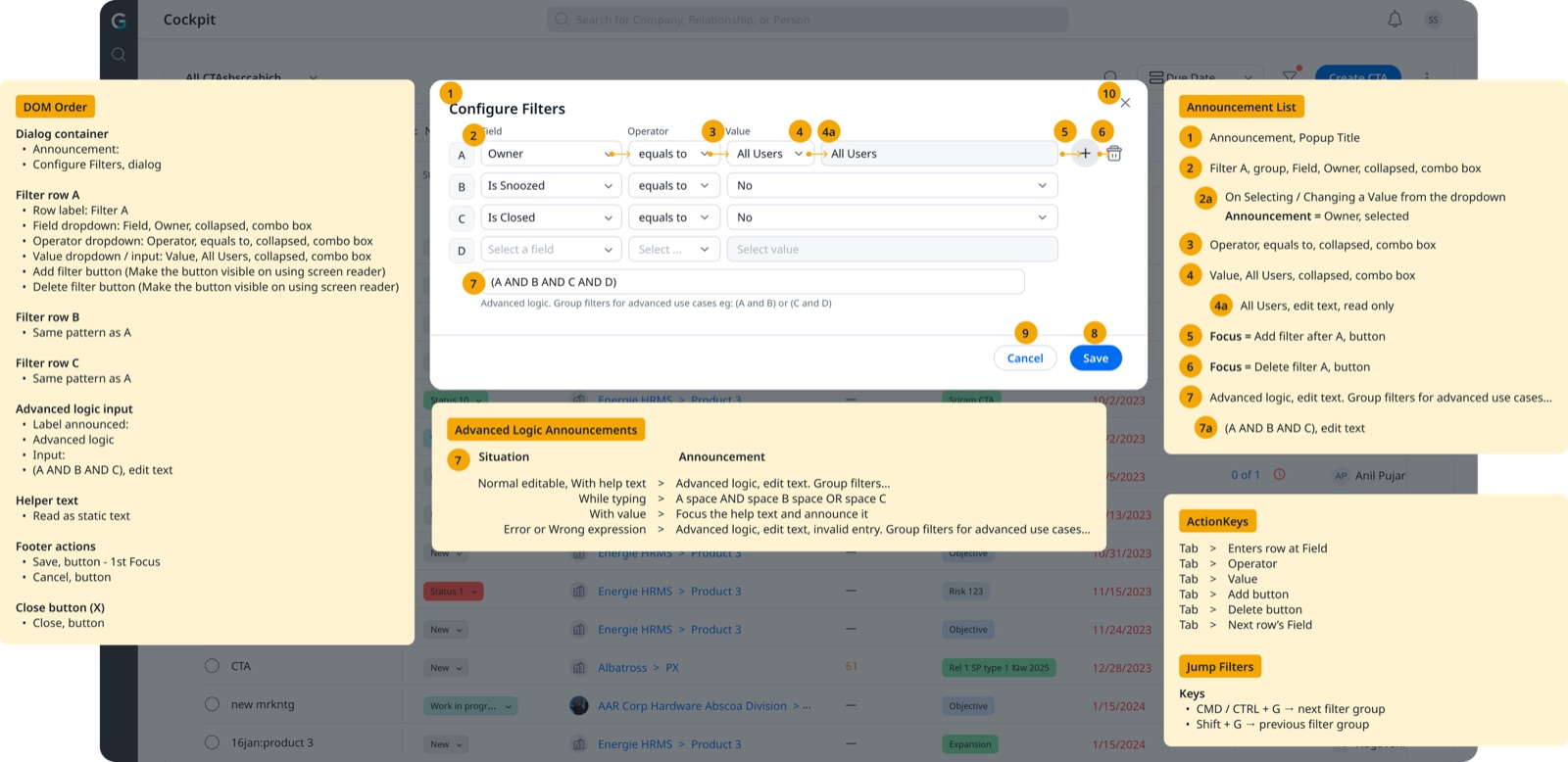
From ambiguous to announced
Bringing structure to the most exposed surfaces produced concrete, testable change. Critical violations dropped significantly across high-traffic surfaces.
- Headings skipped levels
- Inputs weren't labeled programmatically
- Focus order jumped unpredictably
- Confirmation messages weren't announced
- Semantic hierarchy stabilized
- Predictable tab traversal
- ARIA roles clarified
- Dynamic announcements implemented
The remediated states
Screenshots of the corrected screens go here, the accessible counterparts to the issues above.
If we kept fixing screens individually, the accessibility debt would return. The real fix had to move upstream, to the components themselves.
Component governance over one-off fixes
As audits continued, it became clear that component inconsistency was the root cause. Multiple versions of modals, dropdowns, buttons, and form controls. Each slightly different. Each slightly off. So Phase 2 became about entropy reduction.
Mapped occurrences module by module
Conducted a structured component review and mapped where each variant appeared, screen by screen, to see the true scope of the drift.
Defined canonical versions
Recommended a single accessible version of each component so conformance became a property of the system, not a per-screen effort.
Reviewed weekly, decided by use case
Aligned weekly on use-case-driven decisions so adoption stayed grounded in real product needs.
Less visible than Phase 1. But more important.One accessible version of each
Screenshots of the canonical, conformant components go here.
Specified, not inferred
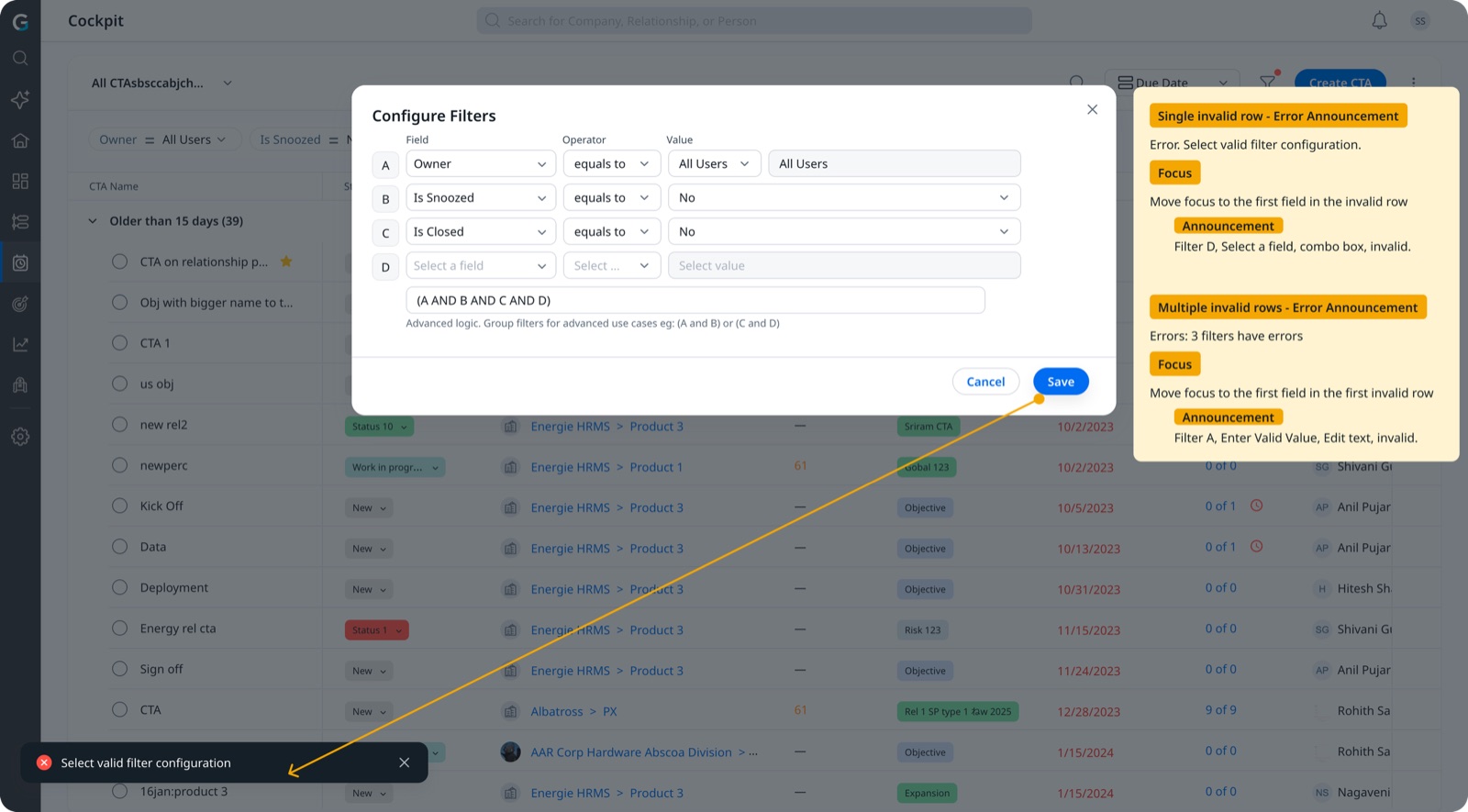
Default audit output left implementation open to interpretation. So I documented the expected behavior at the level engineers actually build against: announcements, focus, and error states. PMs vetted the documentation before handoff. Engineers no longer had to infer accessibility behavior. It was specified.
- Screen-reader announcement expectations documented per control
- Modal focus management: entry and exit focus mapping
- Error announcement specifications for single and multiple invalid states
From periodic detection to embedded feedback
Manual governance does not scale indefinitely. Many violations were detectable at the code level before release, so to prevent recurrence we developed an internal AI-assisted plug-in.
- Scans markup against accessibility standards
- Flags violations inline
- Suggests replacement semantic code
- References the relevant WCAG guidance
Instead of discovering issues during audits, engineers could resolve them during development. Accessibility shifted from periodic detection to embedded feedback.
Turning a churn risk into a trust signal
Sequencing customer-facing surfaces first wasn't only a technical call, it was a retention strategy. I kept high-value accounts close while the work was in flight.
Direct, proactive communication with high-ARR accounts, plus visible progress on the issues they cared about, prevented at least one key customer from churning.
I maintained ongoing updates with customers tracking accessibility, building confidence that the initiative was real, owned, and on track.
- Customer-facing surfaces sequenced first
- Direct line to high-ARR stakeholders
- Regular, credible progress updates
- VPAT and public statement as proof points
The shift was predictability, not just polish
- Accessibility was reactive
- Component fragmentation
- Interpretation variance
- Audit-dependent
- Risk-prioritized roadmap
- Canonical components
- Clear execution blueprints
- AI-assisted detection
- Embedded governance cadence
Leading it, not just fixing it
The biggest change wasn't visual, it was predictability. By securing a mandate, fixing risk first, and then the system underneath, accessibility stopped being a recurring scramble and became a property of how the product was built: canonical components, specified behavior, and detection in the development loop. The lasting value wasn't any single remediated screen, it was the program, initiated and owned end to end, and the enterprise trust it earned.