
Program Testing: designing confidence into publishing
Program Test Run lets Journey Orchestrator admins dry-run complex, multi-step programs before they go live. I co-authored the PRD with the PM and designed the full experience, reframing the brief from “build a testing feature” to the real question: how do you make publishing feel safe for the first time? It was developed as part of the broader Journey Orchestrator transformation.
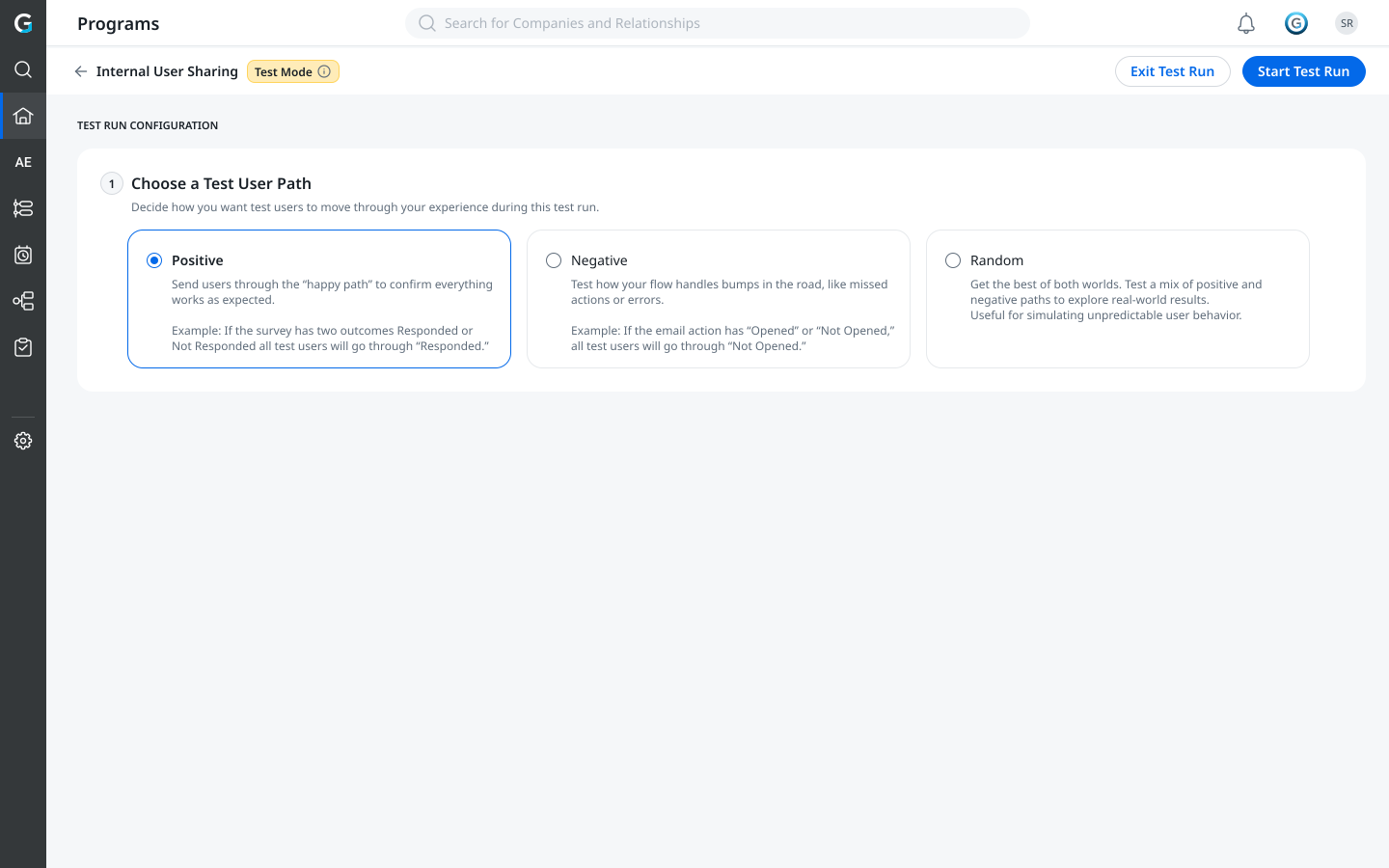
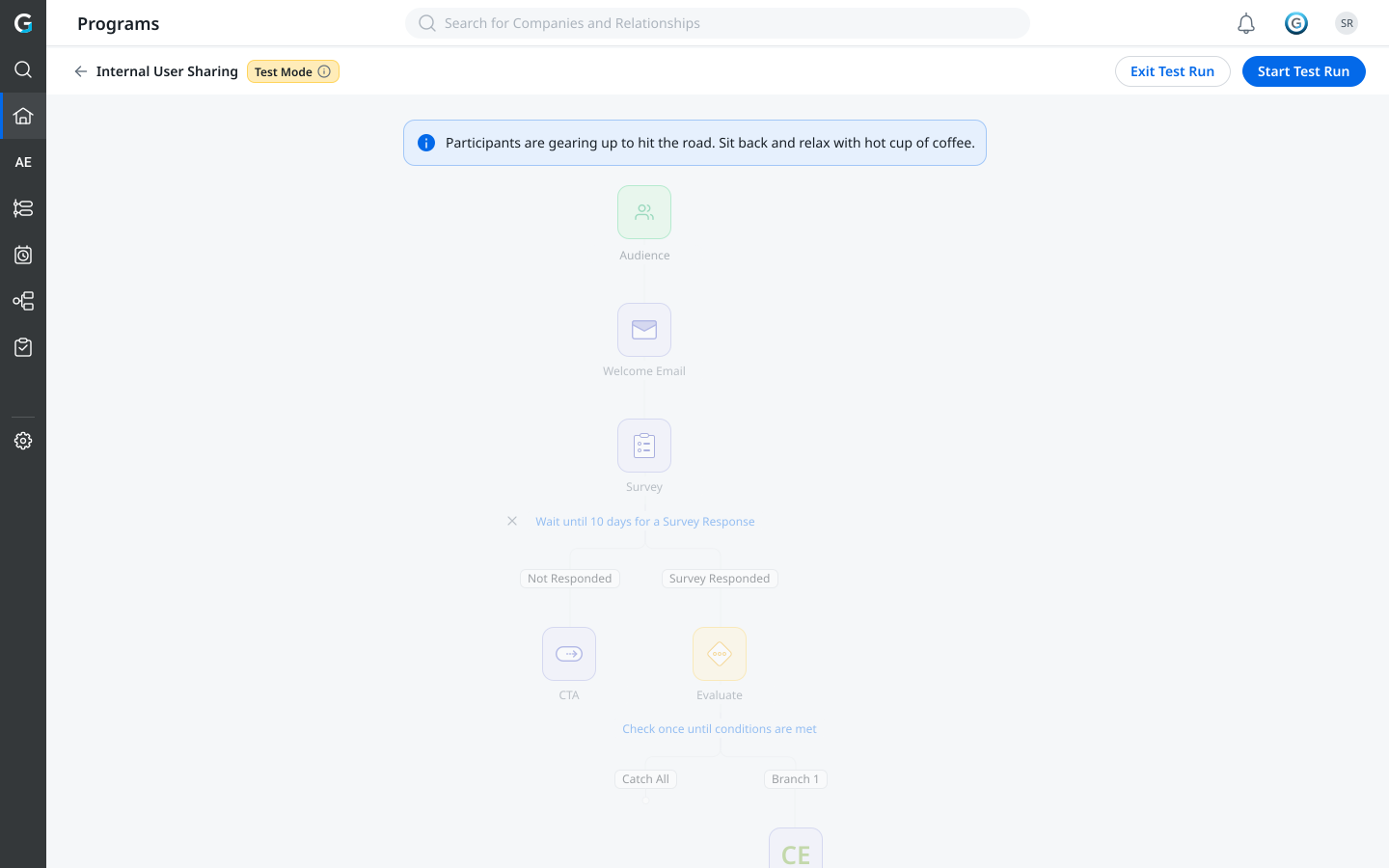
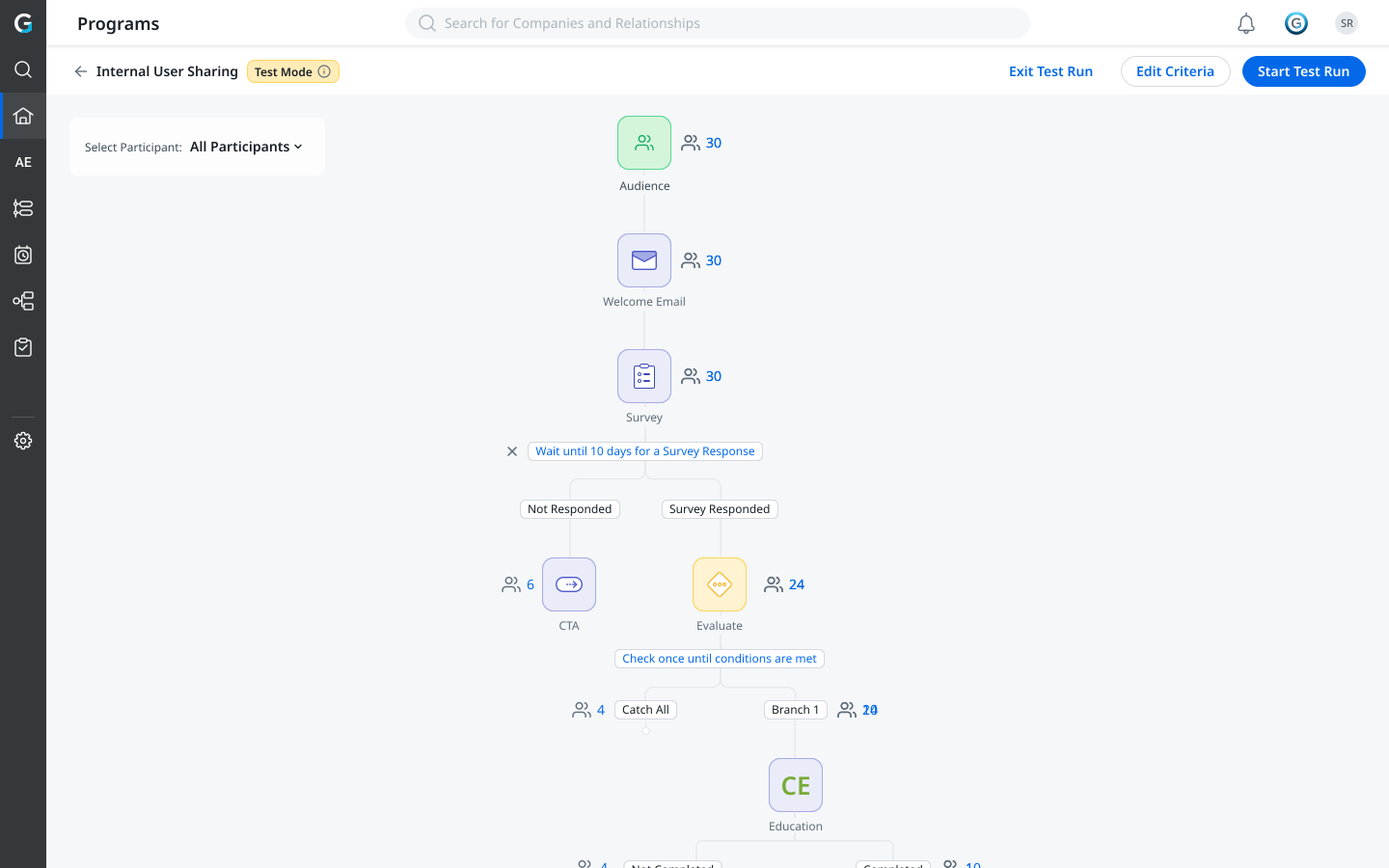
Test mode, a fully isolated, read-only view with a persistent blue banner and a configuration pane for path outcomes and run limits.
Admins could only find errors after publishing
The PRD was grounded in direct customer feedback, not internal assumption. Two pain signals drove the brief.
Data mismatch
Admins had no confidence participant data was accurate before running. Wrong field values, null tokens, unsubscribed contacts, none surfaced before publish. Programs silently dropped participants or sent broken emails to real customers.
Ref: a customer screen recording showing unexpected participant drops post-publish.
Program flow complexity
Multi-step programs with conditional branches were impossible to mentally simulate. The only way to validate routing was to publish and watch, then stop the program and clone it to fix mistakes.
Admins were stopping programs and creating multiple clones to resolve mistakes.
The challenge wasn't ‘build a testing feature.’ It was: how do you make publishing feel safe for the first time?
Original vision vs. what shipped
The PRD proposed a far broader scope than the MVP. Trimming it was a deliberate product decision made against the release window: each cut kept the simulation fast, safe, and easy to interpret, and the rest was documented for a later phase.
Shipped in MVP
- Test mode, a separate, read-only view
- Test configuration, path outcomes (positive / negative / random)
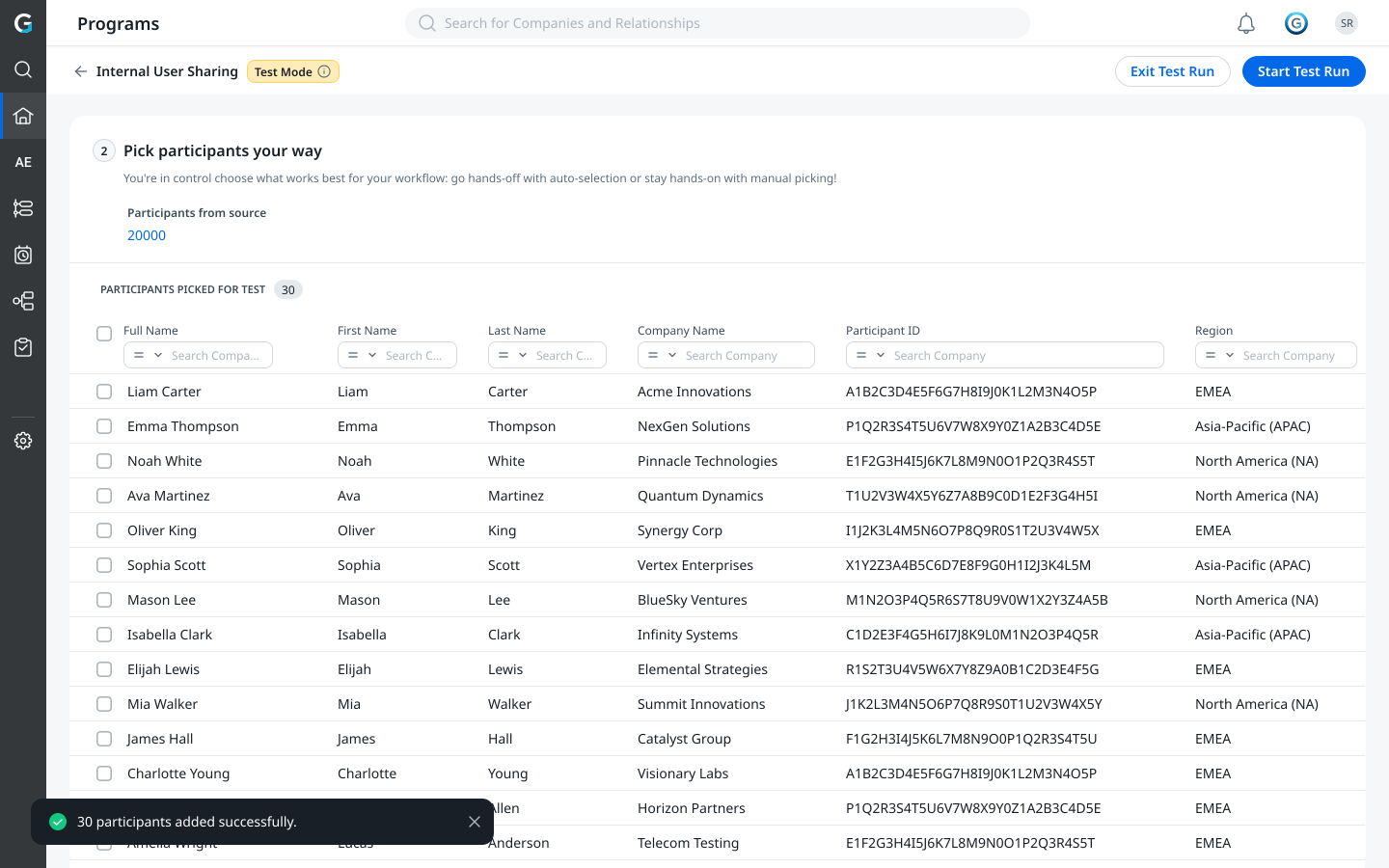
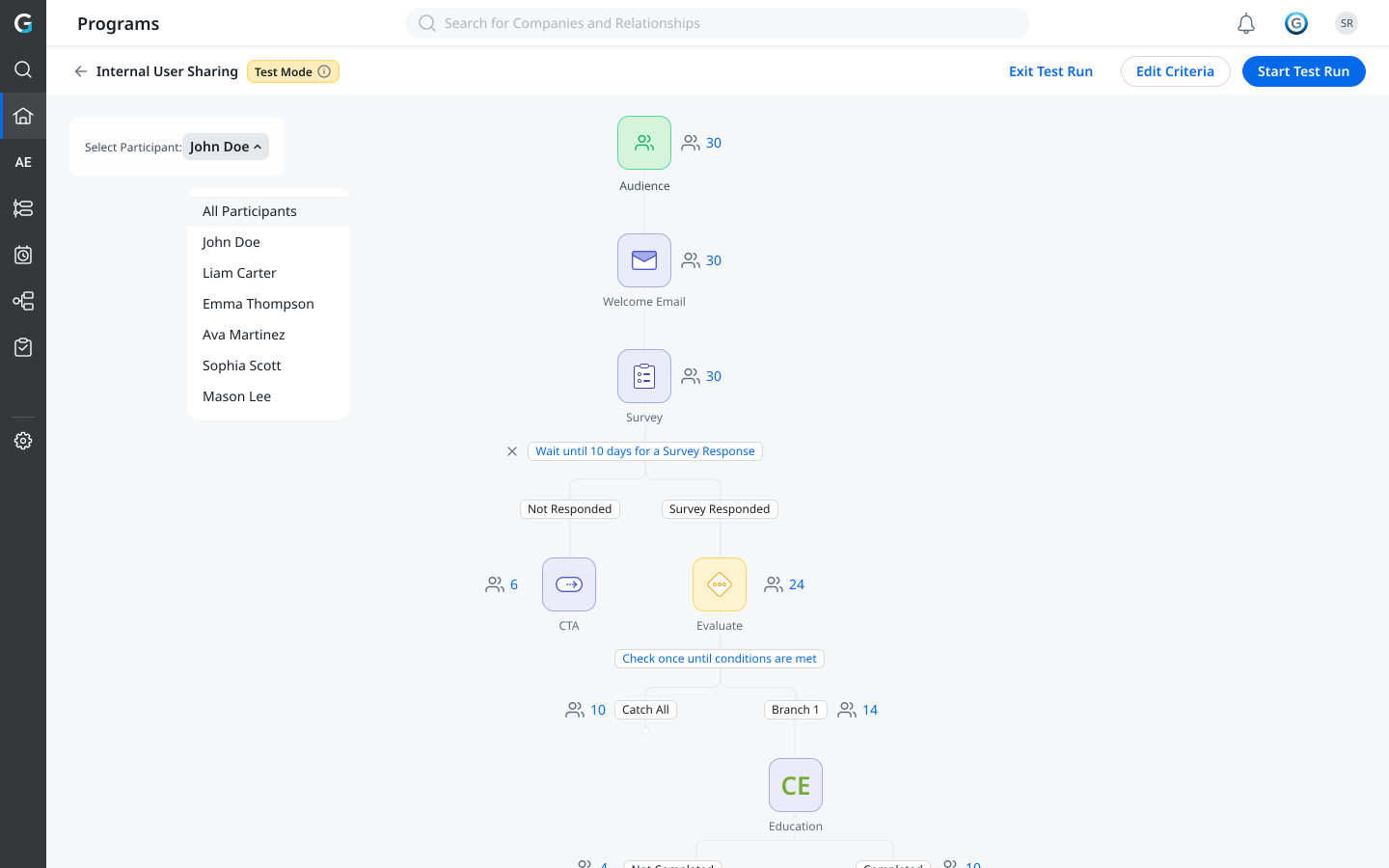
- Participant filtering + manual selection (up to 20)
- Dry-run engine, full simulation, no live messages
- Email preview with version indication + participant count
- Slack, API & Evaluate previews with token resolution
- Snapshot results, participant counts per node
- Multi-user safety, program locked in test mode
- Daily run limit (100/day) with warning
- Pre-run field validation & manual-only sync
Consciously descoped
- Individual step-by-step navigation (per-participant Next button)
- Admin approval gates on Evaluate branches
- Test-send emails to internal IDs from preview
- Participant data cards highlighting empty / unsubscribed values
- Export of test-run activity / simulation log
- Summary emails to admins on execution status
- Set custom condition values in the test panel
- Previous-step value overrides for Evaluate testing
- Participant approval UI between branches
- Percentage-based random outcomes
Each descoped item represented design complexity that would have compromised the MVP promise. The approval-gate feature, for example, was explicitly marked TBD as a competitive feature requiring further user research before commitment.
Designing the test experience
Customer research & PRD authoring
Reviewed customer screen recordings of participant drops and community threads describing cloning workarounds, then co-authored the PRD: problem framing, solution workflow, user stories, acceptance criteria, and the MVP-vs-future split, all before a single screen.
Flow mapping on Miro
Mapped the full state space with PM, program states, test-mode transitions, selection logic, dry-run paths, result states. This caught a key ambiguity early: what if another admin opens the program mid-test? Answer: a multi-user lock with a clear read-only state.
Prototyping before the engineering POC
Built an interactive prototype on Vercel before engineering's backend spike, validating the core flow with PM. This let both tracks run in parallel, engineering spiked the dry-run engine while design iterated on the interaction model.
Figma mocks through build
Maintained a living spec across every screen and error state, adjusting in real time as engineering surfaced backend constraints like participant-count caps.
Scope negotiation under constraint
The Next-button simulation, approval gates, and test-send email were deferred mid-build. Each removal required a design response, updating the PRD, communicating the change in rollout notes, and ensuring the remaining feature still answered the core trust question.
QA partnership on every state
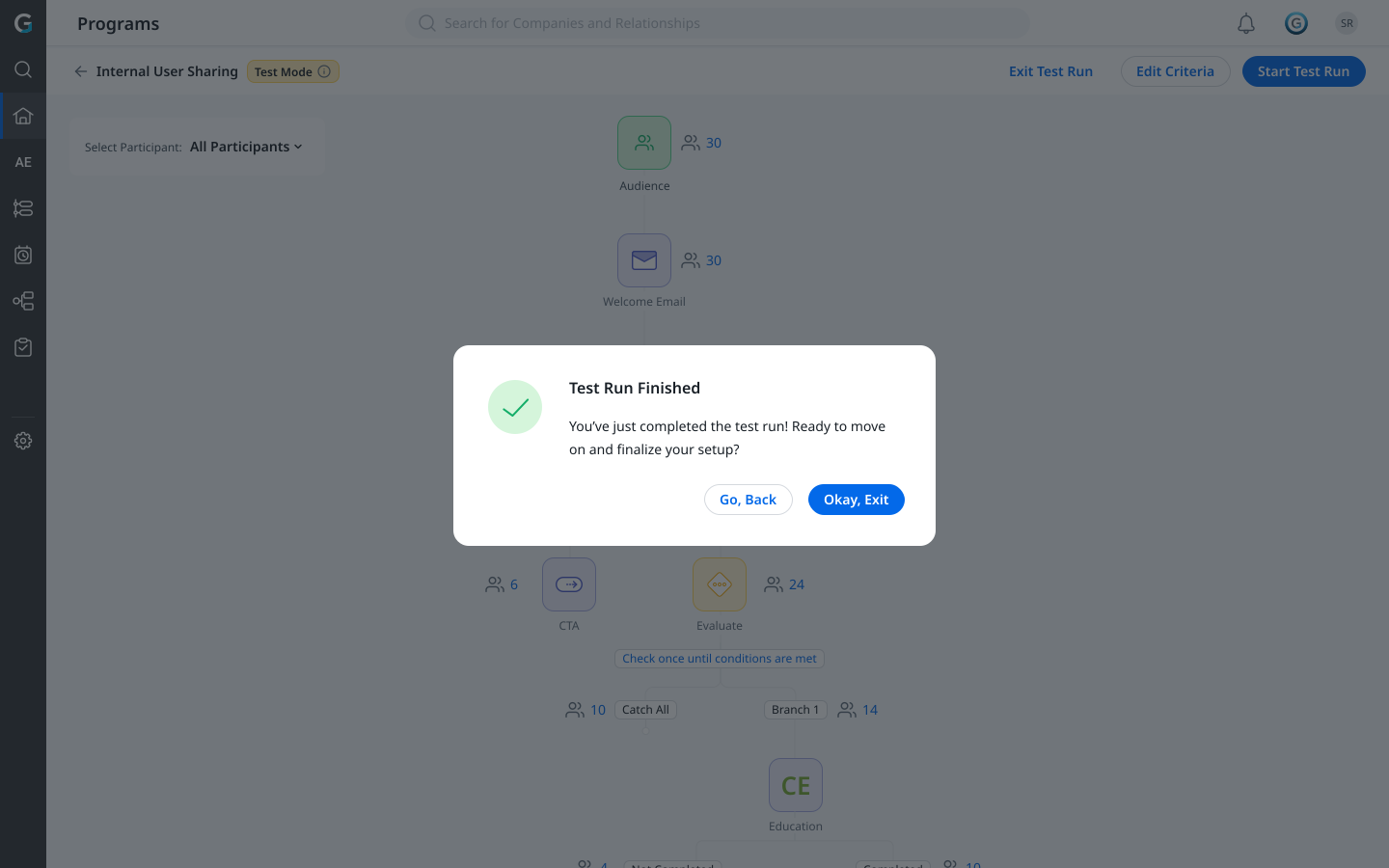
Worked with QA across 13 test dimensions and defined UI states for dry-run failure, empty pool, multi-user lock, field-validation warnings, and exit confirmation, none left to engineering.
Key decisions that shaped the test experience
A separate view instead of an overlay
Challenge: an overlay or side-by-side split created ambiguity about whether the admin was ‘in’ the live program or the test.
Resolution: test mode opens in a completely separate view, the editor is gone, editing is disabled, a persistent blue banner anchors context, and the only exit is explicit.
Separate view + banner = zero context confusionTesting with real participants
Challenge: custom condition values and test-sends to internal IDs were appealing, but they shifted the simulation away from reality.
Resolution: the dry run uses actual synced participants and real field values, with token resolution through the same pipeline as live execution. What admins preview is exactly what customers would receive.
Real data = real confidenceSnapshot first, step-through later
Challenge: the PRD's most detailed feature was an individual Next-button simulation, the fullest expression of the ‘simulate’ vision.
Resolution: deferred. Simulating all selected participants at once and showing a snapshot answered the highest-priority question, does the branching logic work? faster and with less cognitive load. Step-through is a clear Phase 2 addition for debugging.
Validate before you debugEvery error state is a designed state
Challenge: the feature has a dozen-plus failure modes, dry-run failed, field not resolved, empty pool, daily limit, multi-user lock, re-sync needed.
Resolution: each state was explicitly designed with specific copy, icon, and primary action. QA received a designed response for every scenario, zero ambiguous error strings at handoff.
8+ error states designed before QA beganRemoving auto-sync
Challenge: adding a source auto-synced test participants, confusing admins about where participants came from or whether they were real.
Resolution: auto-sync was removed entirely; participants now enter only through explicit manual sync. ‘Sync All’ became ‘Sync’ to reinforce intent. This was a behaviour change affecting all programs, requiring cross-functional alignment, not just a test-mode tweak.
Manual-only sync = full admin control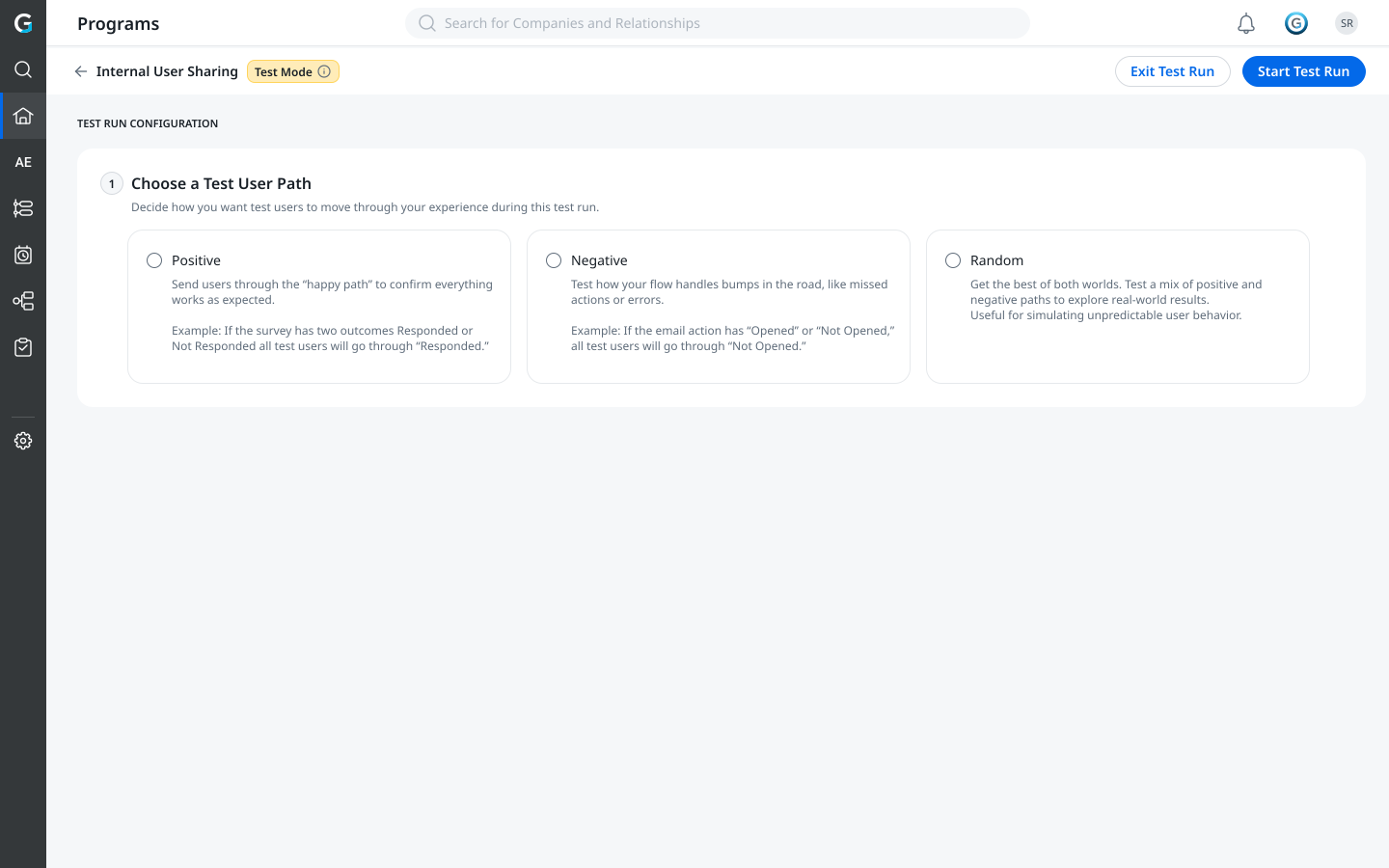
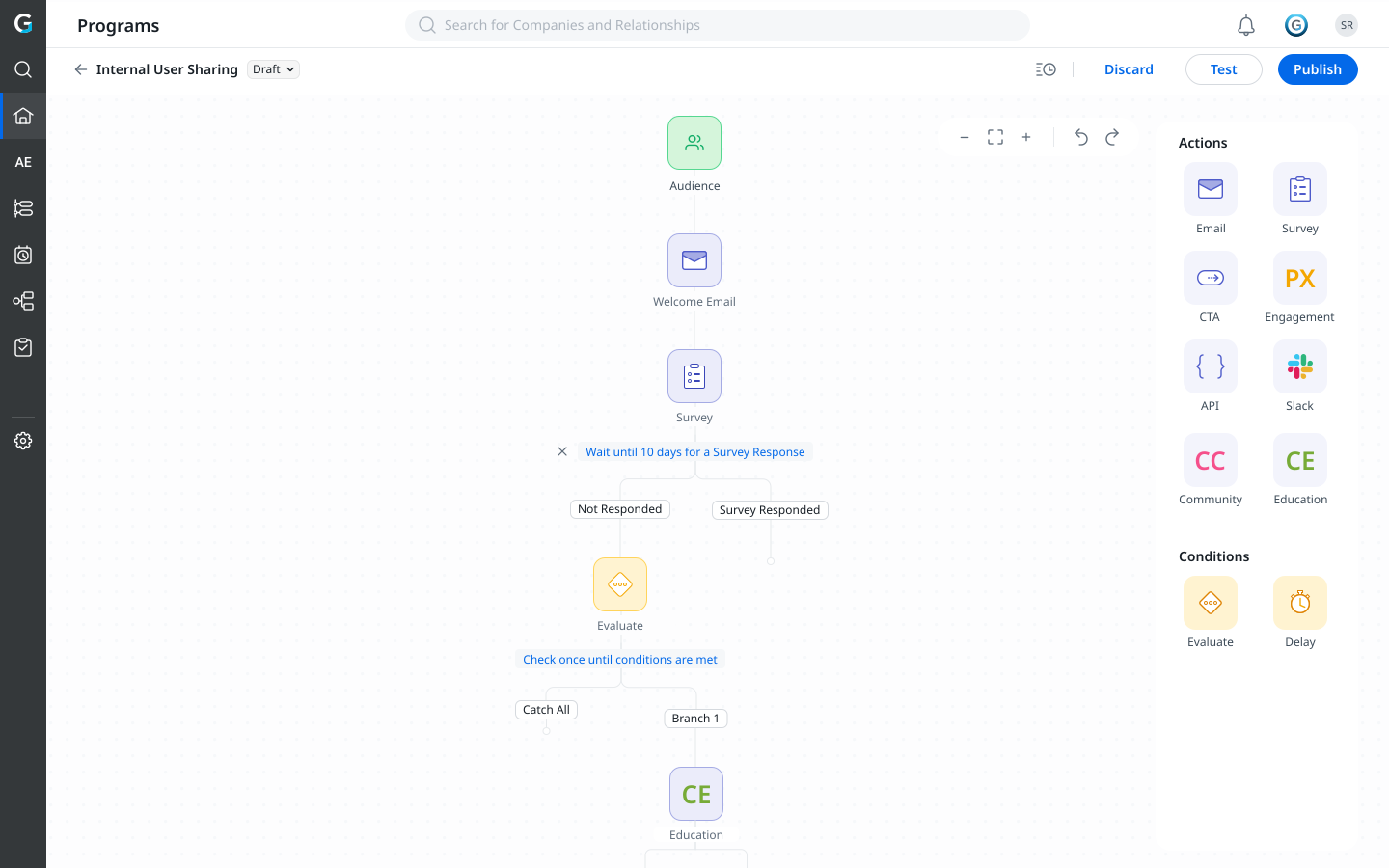
The shipped test flow
Publishing, finally de-risked
- Admins can validate programs before any customer is affected, token resolution, branch routing and variant assignment, with no live message or CRM record
- The vision-vs-MVP decision paid off: a focused dry run + snapshot shipped on time, with step-through sequenced as a clear Phase 2
- Removing auto-sync improved data quality across all JO programs, resolving a long-standing source of participant confusion
- 8+ explicitly designed error states meant zero QA ambiguity at handoff
- The Phase 1 snapshot experience establishes the mental model Phase 2 will build on
Where I led, and where the team delivered
The PRD came out of the design process, problem framing, solution workflow, and the MVP-vs-future split were design contributions before a screen was touched. The prototype was running before engineering had a backend POC. The hardest decision was letting go of the feature the PRD spent the most words on, the step-by-step simulator, in favour of a faster, more focused dry run that answered the user's core question better. That conviction, under technical constraint, is the strategy.